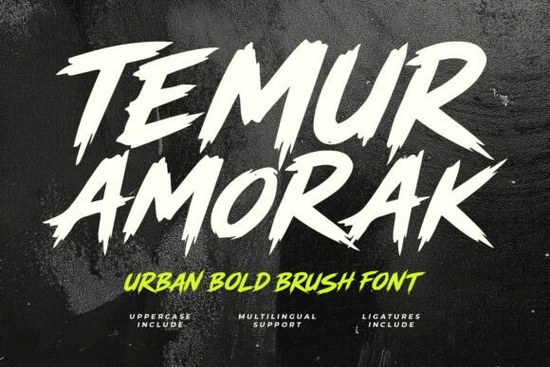
If you're looking for a brush font that feels like it was ripped straight from a street mural or a punk flyer sharp, urgent, and full of movement you’ll want to try the Temur Amorak Urban Bold Brush Font. It’s not just another bold display typeface. It’s hand-drawn with intentional jagged edges and fast, uneven strokes that mimic real ink hitting rough paper. That raw texture makes it stand out in posters, merch designs, social media banners, and even video thumbnails especially when you need energy, not elegance.
Who actually uses this kind of font?
Designers working on concert posters or band merch often reach for fonts like Temur Amorak Urban Bold Brush Font Font because it pairs well with gritty photography, distressed textures, and high-contrast layouts. Print-on-demand sellers use it for limited-run tees and hoodies targeting music fans, gamers, or urban lifestyle audiences. Small business owners launching a new sports apparel line or an indie gaming channel also find it useful it adds personality without needing custom illustration.
Crafters building digital scrapbook kits or printable wall art sometimes overlook brush fonts, but Temur Amorak works surprisingly well there too especially when layered over grunge paper scans or used as a focal phrase in a motivational poster. Its uppercase-only design keeps things bold and legible, even at smaller sizes (though it shines best at 48pt and up).
What’s included and how easy is it to use?
The download includes both OTF and TTF files, so it works smoothly in Adobe Photoshop, Illustrator, Canva, Affinity Designer, and even Cricut Design Space. You’ll get:
- Full uppercase alphabet (no lowercase letters)
- Numbers and standard punctuation
- Multilingual support covering Western, Central, and Eastern European languages (including accented characters like ñ, ü, and š)
- Ligatures built into the font like “TH”, “FF”, and “TT” that trigger automatically in apps that support OpenType features, giving your text a more natural, handwritten rhythm
No extra plugins or workarounds needed. Just install the font, select it in your software, and start typing. If you’re using Canva, upload the OTF file to your brand kit first then it’ll appear under “Uploaded” fonts.
How does it compare to other bold brush fonts on Creative Fabrica?
It’s bolder and more angular than Graffiti Impact, which leans into spray-paint drips and softer edges. Compared to Laguna Tropic, Temur Amorak has zero tropical vibe it trades palm fronds for concrete and urgency over relaxation. And while School House gives off chalkboard charm and playful imperfection, Temur Amorak is deliberately aggressive: think protest sign, not classroom bulletin board.
You’ll also notice it’s stylistically distinct from Senior Teacher, which uses smoother brush strokes and warmer spacing better suited for education branding or handmade greeting cards. Temur Amorak doesn’t soften its message. It holds space. Loudly.
Where does it work best and where should you skip it?
Use it when:
- You’re designing for loud, physical environments gym walls, festival banners, skate shop signage
- Your audience responds to authenticity over polish (e.g., indie bands, underground events, esports teams)
- You want contrast: pairing it with clean sans-serifs like Montserrat or Inter for body text creates strong visual hierarchy
Avoid it when:
- You need readability at small sizes (like footnotes or app UI labels)
- Your brand voice is calm, minimalist, or luxury-focused this font doesn’t whisper
- You’re designing for formal documents, academic reports, or corporate presentations
One practical tip: test it against your background before finalizing. Because of its thick strokes and sharp angles, Temur Amorak can visually “bleed” into busy photos or textured overlays. Try adding a subtle stroke or drop shadow in Photoshop or set it on a solid color block behind the text to keep it crisp.
If you’ve used other high-energy fonts like Temur Amorak before, you know how quickly it sets the tone. It’s not subtle but then again, not every project needs subtlety. For designers who value intention over trend-chasing, this is one of those fonts you install once and reach for again and again when the brief says “make it feel alive.”
Before you download: Check your software’s OpenType support if you plan to use ligatures. In Illustrator or InDesign, turn on “OpenType > Standard Ligatures” in the Character panel. In Canva, ligatures won’t activate automatically but typing common combos like “FF” or “TH” often renders them correctly anyway. And always preview your text at actual size not just in the font menu.
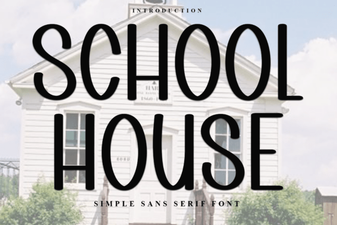 School House Font for Creative Classroom Designs
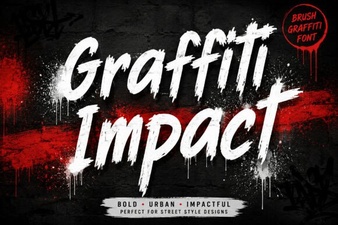 Graffiti Impact Font: Design Tips & Creative Projects
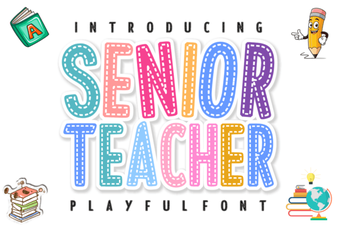 Font Designs for Senior Educators & Projects
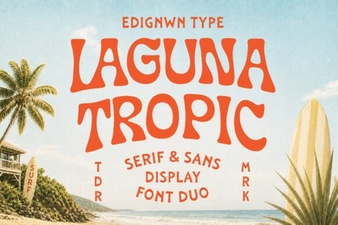 The Laguna Tropic Font for Tropical Design Projects
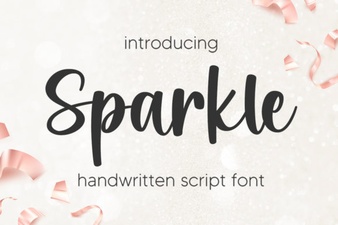 Sparkle Fonts for Design & Creative Projects
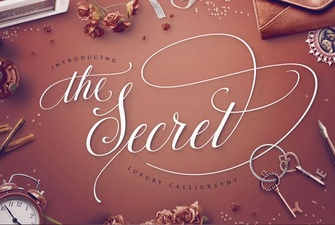 Unlock Creativity with the Secret Font's Unique Designs