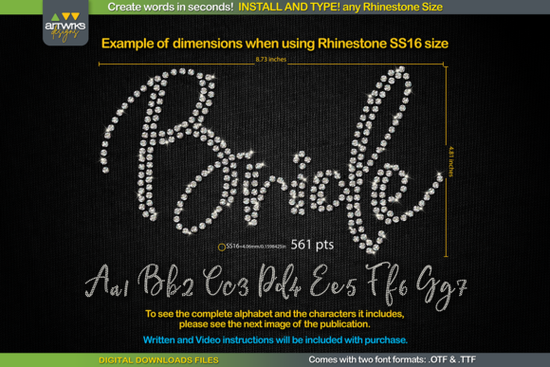
If you're looking for a quick, reliable way to create rhinestone-ready text for T-shirts, tote bags, or heat transfer vinyl projects, the RS01 Cursiva Rhinestone Template TTF Font is one of the most straightforward options available. It’s not a design file you trace or edit manually it’s a true typeable font that renders each letter already filled with precisely spaced rhinestone outlines, ready for cutting or weeding. No vector tracing, no manual stone placement, no guesswork about spacing or trapping. Just install, type, and cut.
How does this rhinestone template font actually work?
This isn’t a decorative script font you’d use for invitations or logos. It’s built specifically for crafters who work with physical rhinestones (SS6, SS10, SS16, SS20) or HTV transfers. Each character in the RS01 Cursiva Rhinestone Template TTF Font is pre-arranged with consistent stone spacing and alignment meaning when you type “LOVE” at 456 pt, every letter automatically scales to fit SS10 stones without overlapping or gaps. That saves time and reduces errors, especially if you’re batching orders or managing a small print-on-demand shop.
The font comes in both .TTF and .OTF formats, so it works across platforms: Windows, macOS, iPadOS, and even iPhone (with compatible apps like Procreate or Affinity Designer). It’s fully compatible with Cricut Design Space, Silhouette Studio, Inkscape, Adobe Illustrator, and other vector-based tools. You don’t need special plugins or add-ons just standard font installation.
Why choose a rhinestone template font over SVG files or manual designs?
SVGs and layered designs are great for one-off projects, but they’re less flexible when you need to change wording quickly say, for personalized baby onesies or team names. With a template font, editing is as simple as typing in a new name and adjusting the size. No repositioning letters, no recalculating spacing, no re-tracing paths. And because it’s a real font, it respects kerning and ligatures (where supported), giving more natural-looking results than stacked clipart-style letters.
That said, keep in mind: this font only includes the characters shown in its preview images uppercase/lowercase letters, numbers, and basic punctuation. It doesn’t support extended Latin characters or accented letters. So if you regularly design for bilingual customers or need diacritics, double-check the glyph set before purchasing.
Getting the right size for your rhinestones a quick guide
Cricut Design Space sometimes overrides default font sizing, which can throw off stone alignment. Here’s what works reliably:
- Close your design software before installing the font
- Install the .TTF file system-wide (right-click → “Install for all users”)
- Reopen your software and type your word
- Select RS01 Cursiva Rhinestone Template TTF Font and set size using these baselines:
SS6 stones: 359 pt
SS10 stones: 456 pt
SS16 stones: 561 pt
SS20 stones: 738 pt
If your cut lines look too tight or loose, adjust up or down by 5–10 pts slight tweaks often fix alignment without needing full redesigns.
Who is this font best suited for?
Small business owners making custom apparel, crafters using Cricut or Silhouette machines daily, and POD sellers who need repeatable, scalable text elements will get the most value. It’s also helpful for educators or church groups creating event shirts think “VBS 2024” or “GRAD 2025” with bling that cuts cleanly every time.
If you enjoy script fonts with personality, you might also like the Handwritten Font Bundle, the elegant The Secret Font, or the bold Kayla Font. For vintage flair, Highway Heritage Font pairs well with rhinestone accents on retro tees. And if you want sparkle beyond stones, the Sparkle Font adds glittery texture to digital mockups.
For more rhinestone-specific resources, you can explore similar tools like the RS01 Cursiva Rhinestone Template TTF Font directly on Creative Fabrica.
Before you start cutting a quick checklist
- ✅ Confirm your machine supports the stone size you plan to use (SS6–SS20)
- ✅ Install the font before opening your design software
- ✅ Type your text first, then apply the font and resize don’t resize before selecting
- ✅ Do a test cut on scrap material, especially if switching stone sizes
- ✅ Weed carefully the outlines are thin, so use a fine-tipped weeding tool
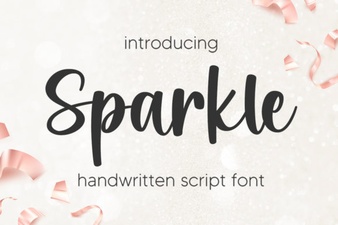 Sparkle Fonts for Design & Creative Projects
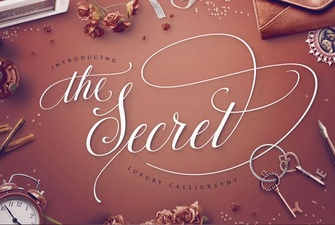 Unlock Creativity with the Secret Font's Unique Designs
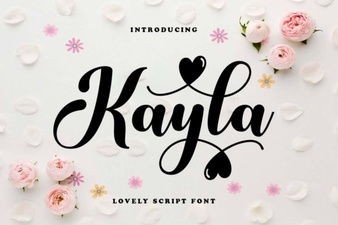 Kayla Font: Free & Downloadable Custom Script Design
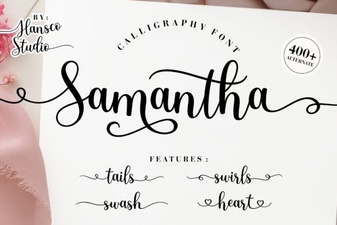 Samantha Calligraphy Font for Creative Projects
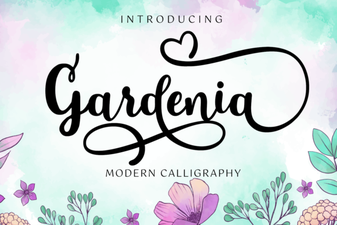 Gardenia Font for Designers and Creative Projects
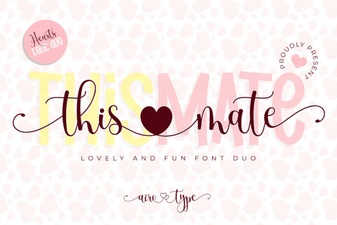 Unlock Creativity with This Mate Font